OSPREY IN PRACTICE

Everything your team needs to publish well.

Create the content, keep it organized, review the change and deliver it to the website you already have.

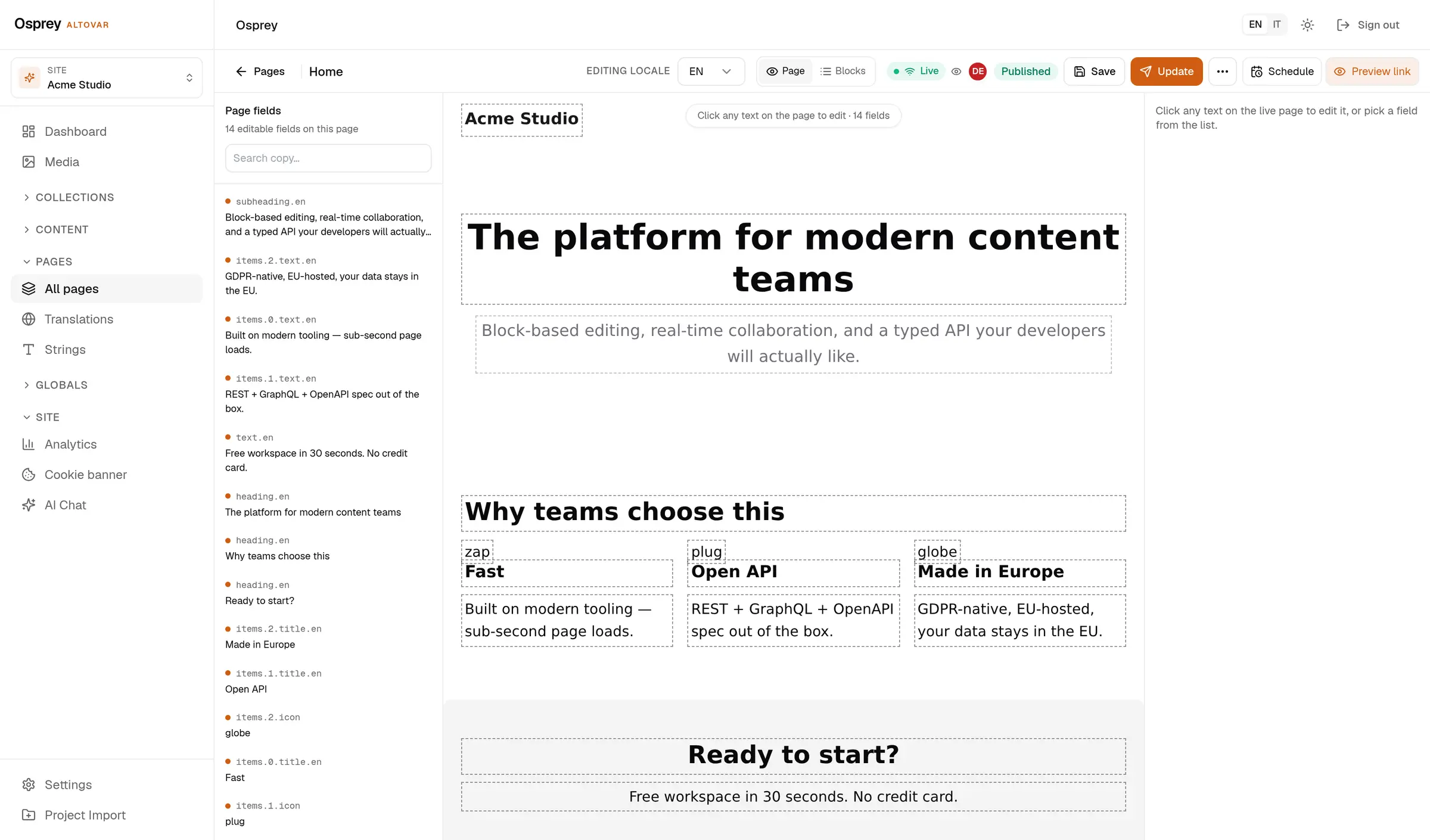
The Osprey admin editing a published page in place: the live page in the middle with fourteen editable fields outlined, the field list on the left, the locale selector and the Publish button in the toolbar.

/ 01

The schema is the form.

What you write on the left is what editors get on the right.
  • Custom collections can be created in the admin and stored in the database.
  • typed SDK, React block renderer, consent manager
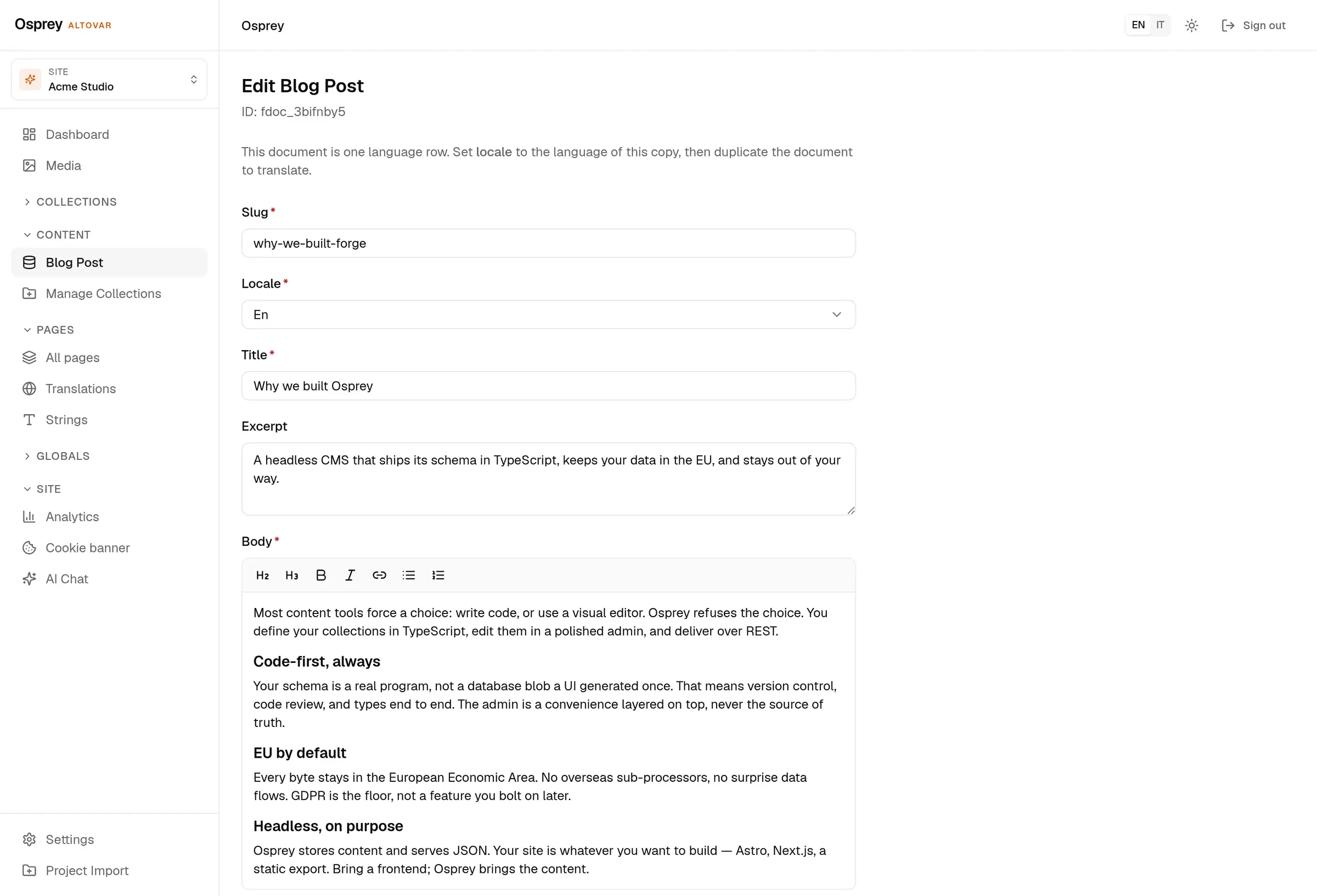
The document editor for a blog post: slug, locale, title, excerpt and a rich-text body with a formatting toolbar, drawn from the collection schema.

/ 02

The admin, in your theme and your language.

Light or dark, in five languages. Every capture on this site follows the theme you pick in the header: it is the same admin, photographed twice.
  • required and localized are two booleans on the field.
  • content loader, SEO head, translations sync
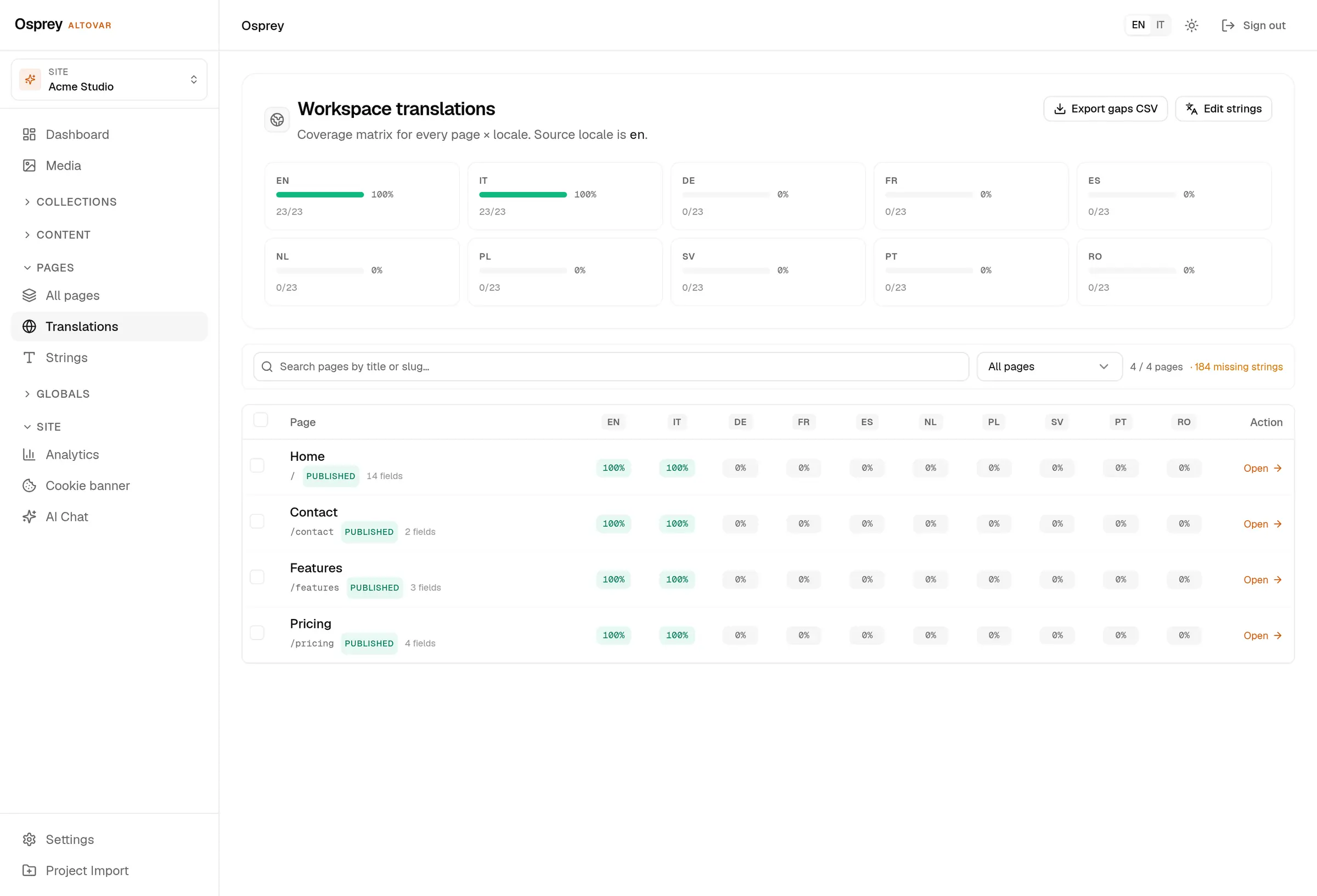
The workspace translations page: ten locale cards with coverage bars, EN and IT at 100 percent, and a per-page matrix below.

/ 03

Ten languages, one matrix.

Every localized field, every locale, counted.
  • A matrix per page and locale, and the missing strings as a CSV.
  • One query parameter picks the language; hreflang alternates travel with each entry.
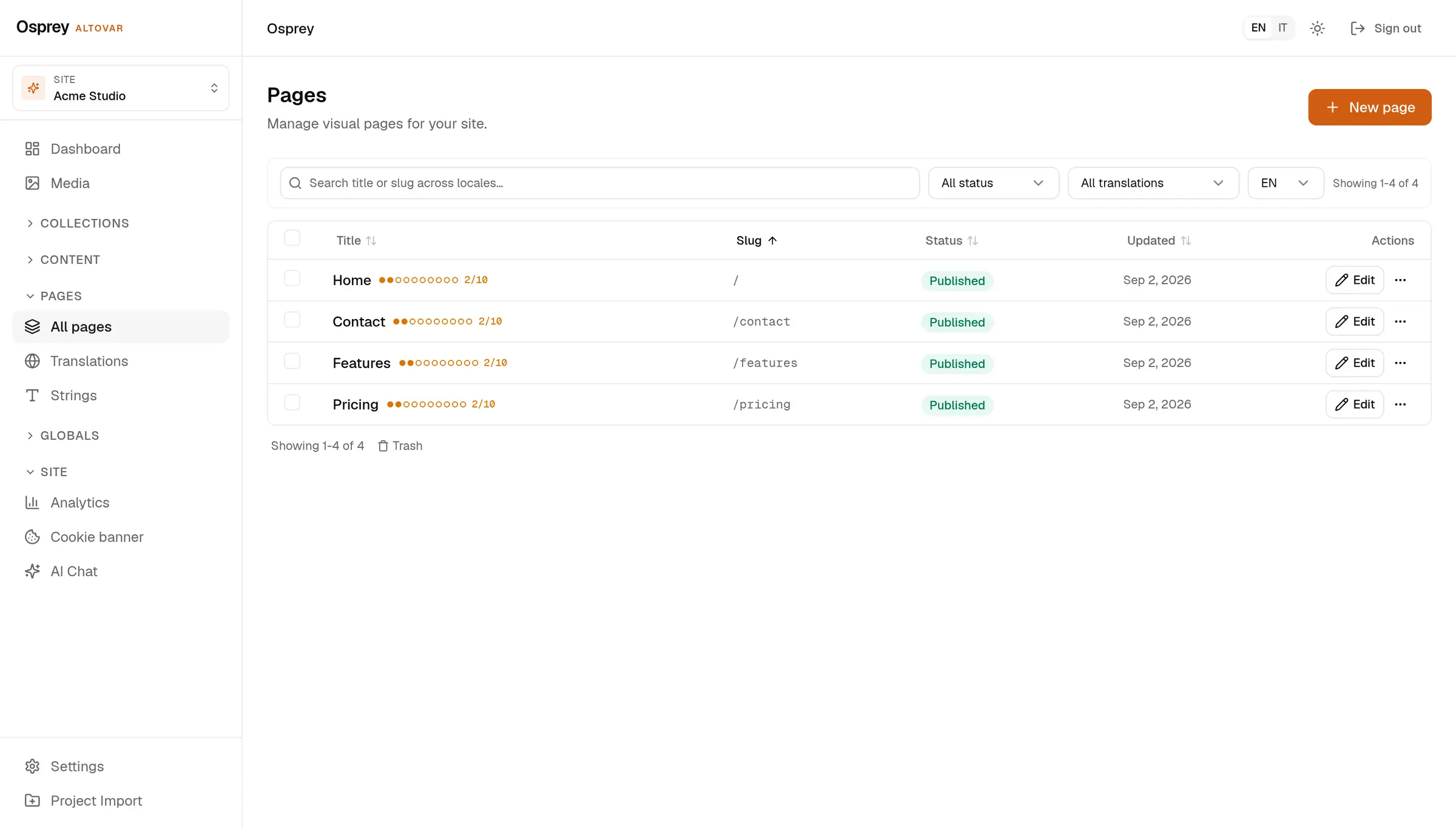
The pages list in the admin: Home, Contact, Features and Pricing, each with its status, its slug and a ten-dot translation coverage.

/ 04

Can I review changes before publishing?

Pages support drafts, review, approval and scheduling. Page revisions include a diff and restore action, so you can inspect previous versions.
  • page history with diff and restore
  • HMAC-SHA256 over the body in x-osprey-signature. Nine events, secret encrypted at rest.
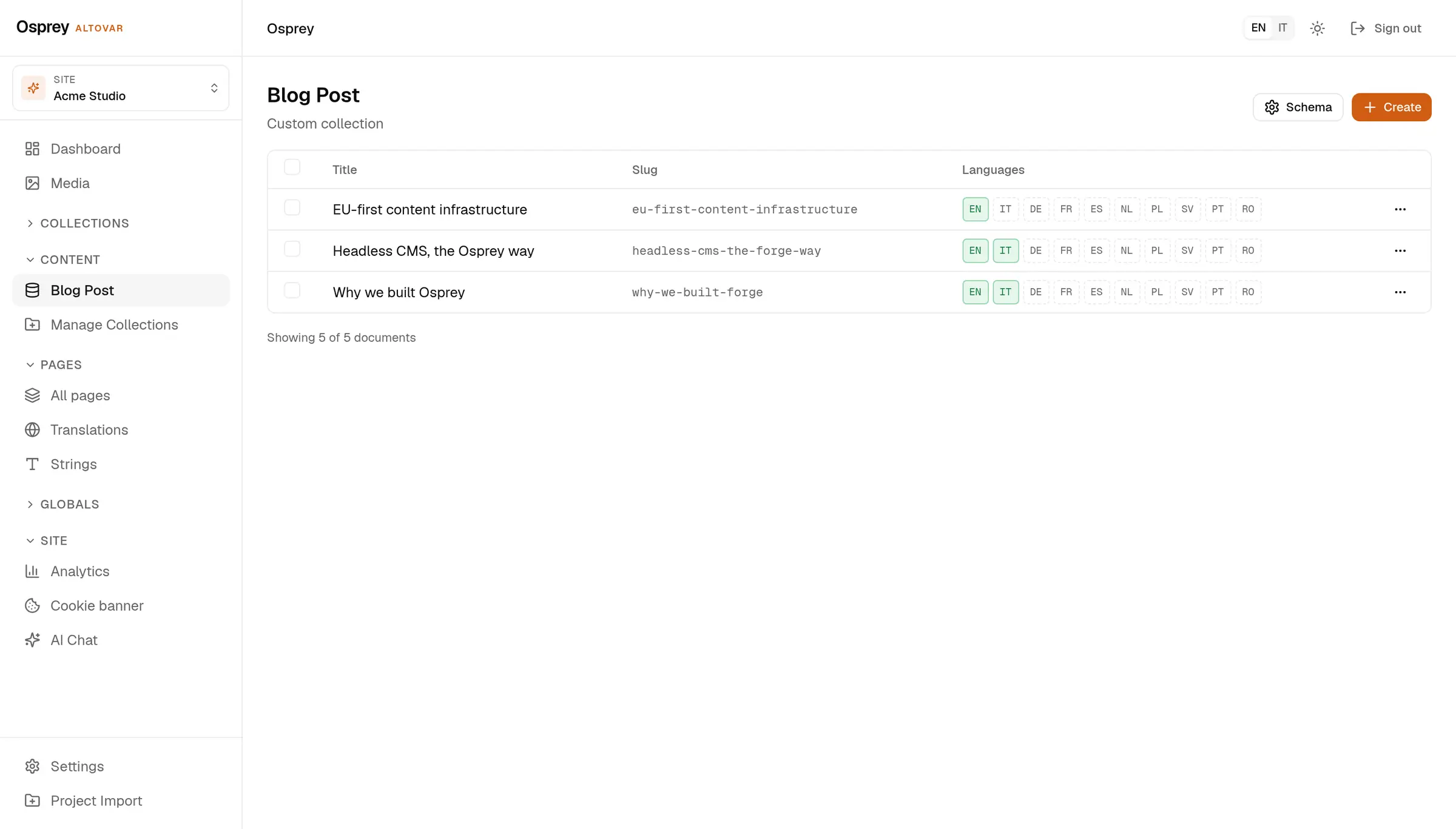
The Blog Post collection in the admin: three documents with title, slug and a coverage chip for each of the ten locales, EN and IT filled in.

/ 05

Can I keep my existing website?

Yes. Osprey manages the content while your website keeps its design and technology. Connect the two through REST, read-only GraphQL, the TypeScript client or the Astro loader.
  • Public entries need no key. Back-office documents need an API key or a bearer token.
  • Queries only, over POST.
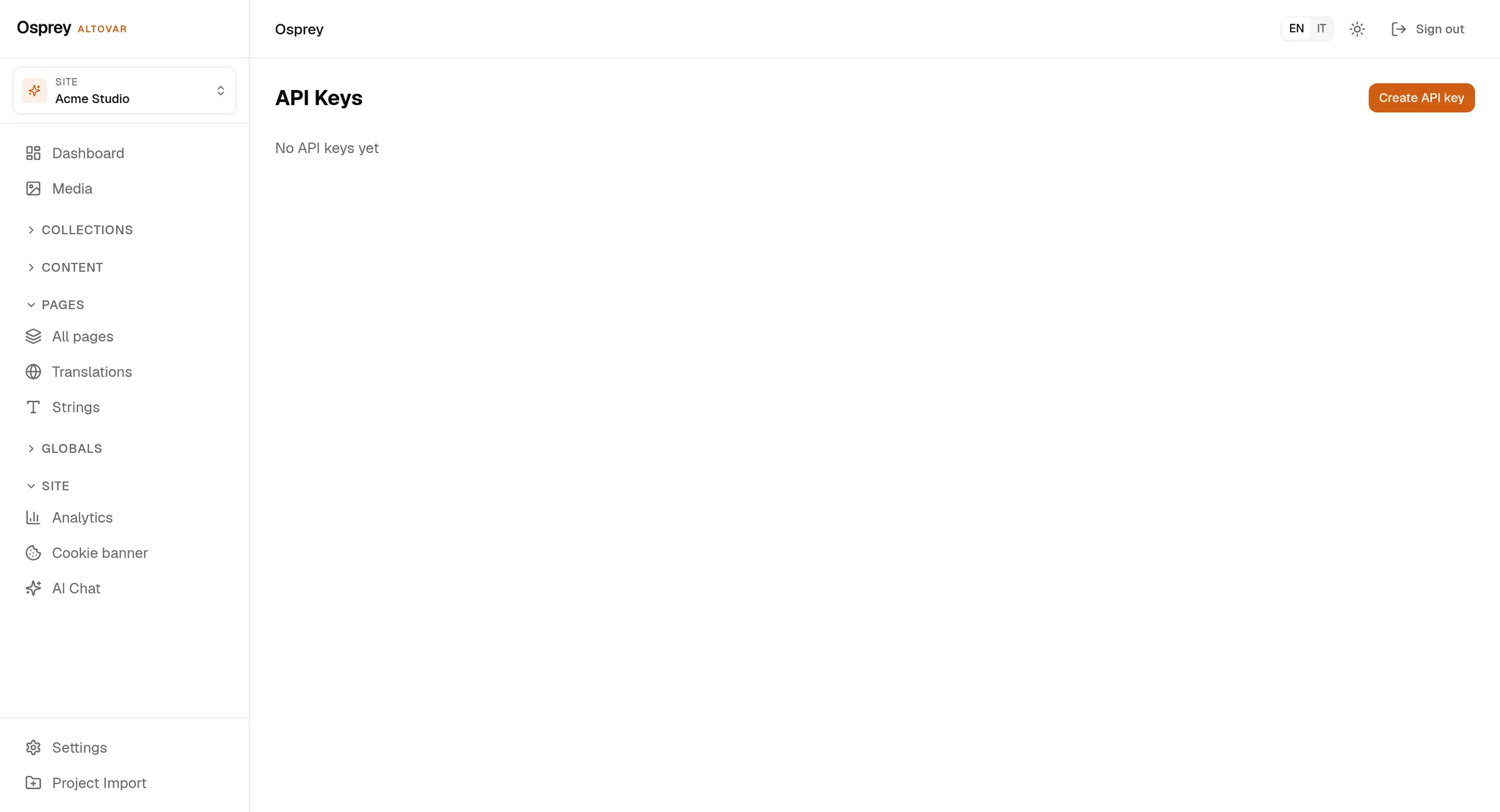
The API keys settings: one key labelled Default, its preview reduced to the last four characters, with the read-only flag and the creation date.

/ 06

Control that shows its work.

Each line below is a route and a screen, not a roadmap.

  • admin, editor, author, contributor, viewer
  • hashed, shown once, read-only flag
  • who, what, when and from where, for users, API keys, webhooks, domains, collections and media

A FEW ANSWERS

Good questions. Clear answers.

A little more about the way Osprey works.

What can I manage with Osprey?

Pages, articles, collections and media. Define your fields in TypeScript or create a collection from the admin, then edit content in the workspace.

Can I keep my existing website?

Yes. Osprey manages the content while your website keeps its design and technology. Connect the two through REST, read-only GraphQL, the TypeScript client or the Astro loader.

How does multilingual content work?

Osprey plans include ten content languages. Choose which fields need translation and use the coverage view to find missing text. The admin interface is available in English, Italian, German, French and Spanish.

Can I review changes before publishing?

Pages support drafts, review, approval and scheduling. Page revisions include a diff and restore action, so you can inspect previous versions.

Can I host Osprey myself?

Yes. Use the self-host stack on your own infrastructure, or choose managed hosting in Europe. Ask us to help you choose the right setup.